注意:由于本篇文章会以两步路的图源配置作为案例,所以将只涉及到非矢量的地图瓦片服务器说明
我们以 OpenTopoMap 的瓦片服务器为例:
1https://{a|b|c}.tile.opentopomap.org/{z}/{x}/{y}.png
解释:
- 在地图瓦片服务器的 URL 模板中,
{a|b|c}代表子域名;在此例中,表示地图应用可以并发请求a.tile.opentopomap.org、b.tile.opentopomap.org、c.tile.opentopomap.org以加速地图的加载 {z}表示缩放的级别{x}和{y}编码地图区域
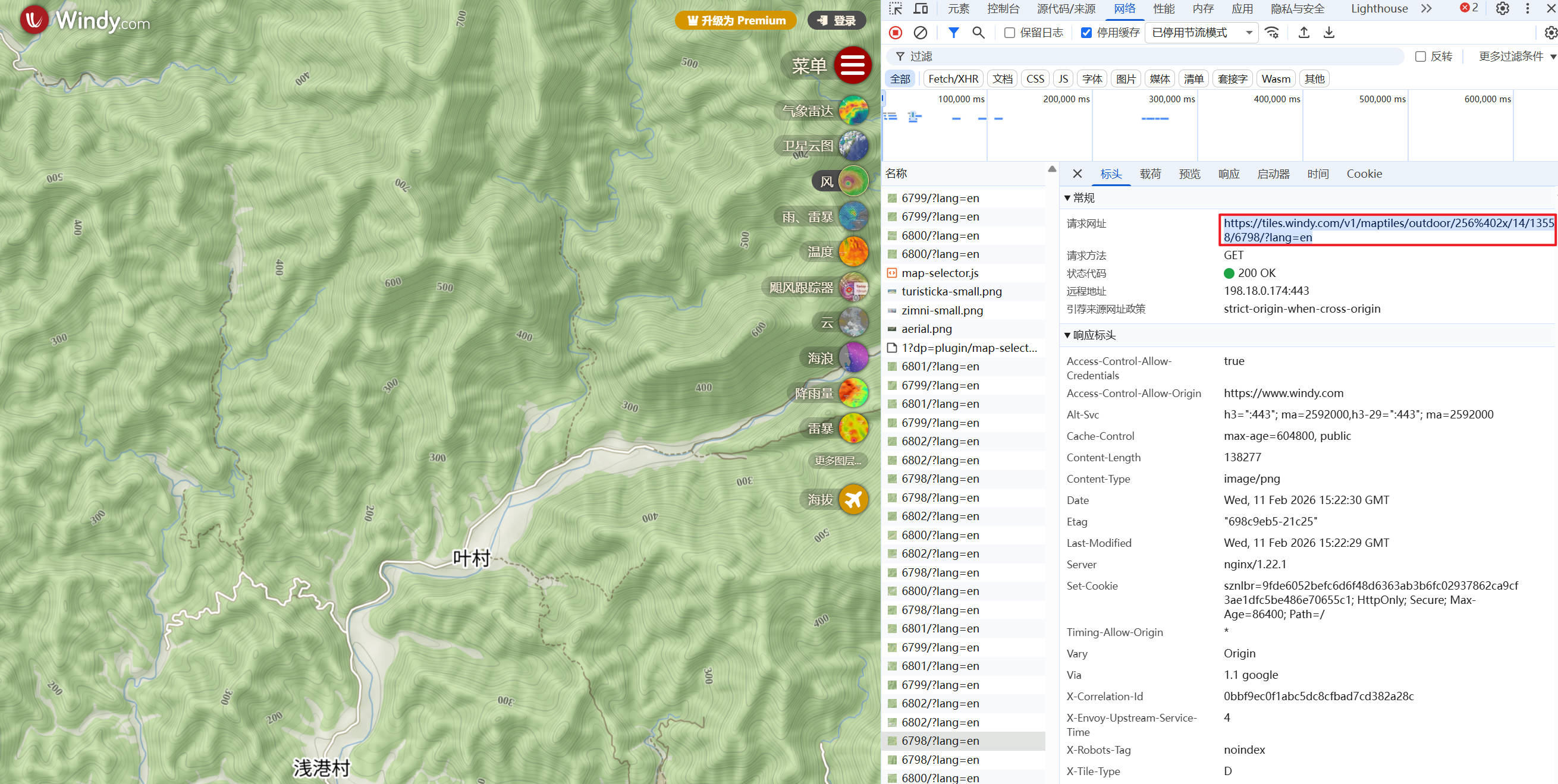
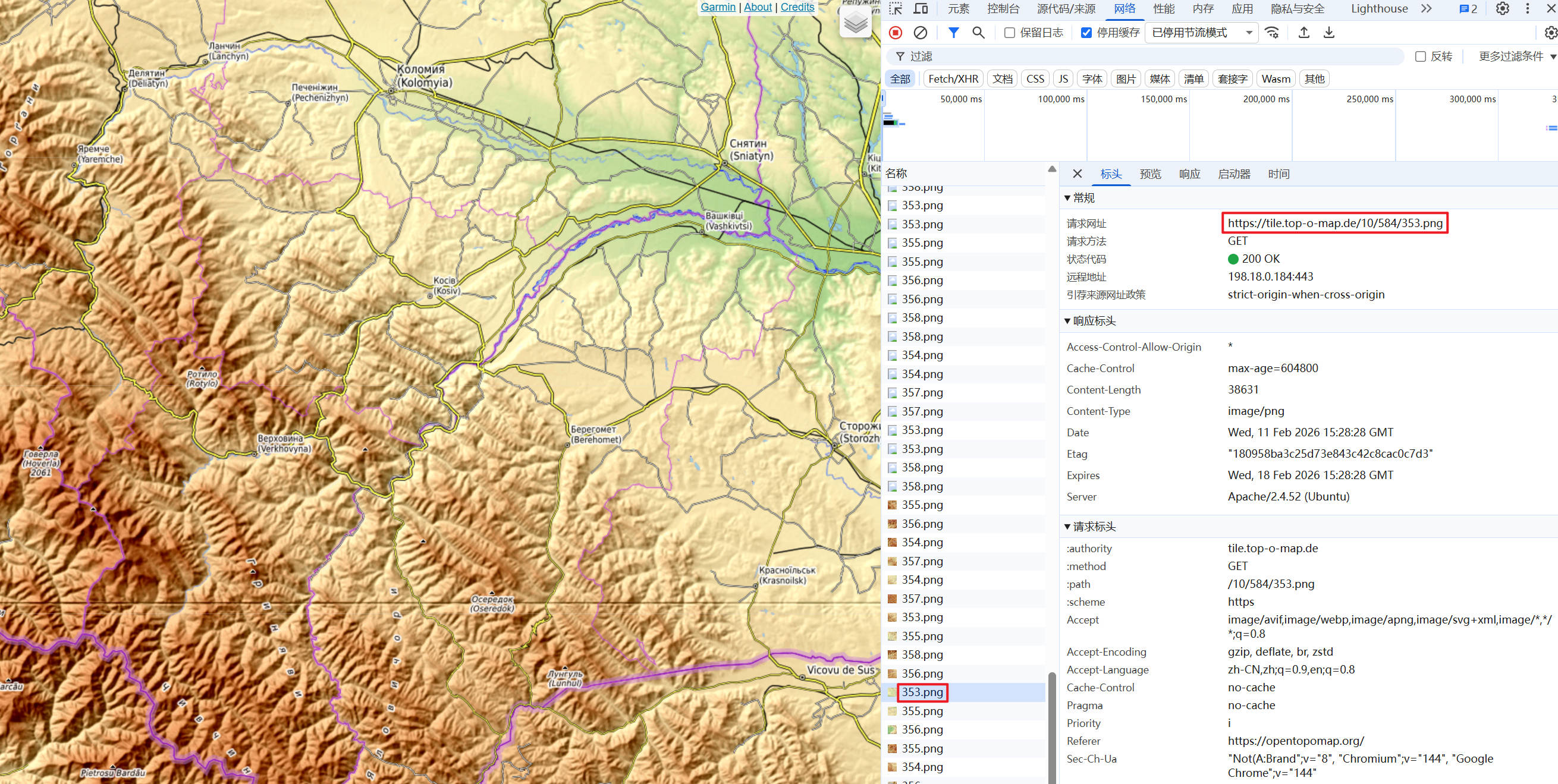
例如,我们可以通过浏览器的开发者工具,并通过缩放地图来确认 {z} 的可能取值范围、以及瓦片服务器的地址:
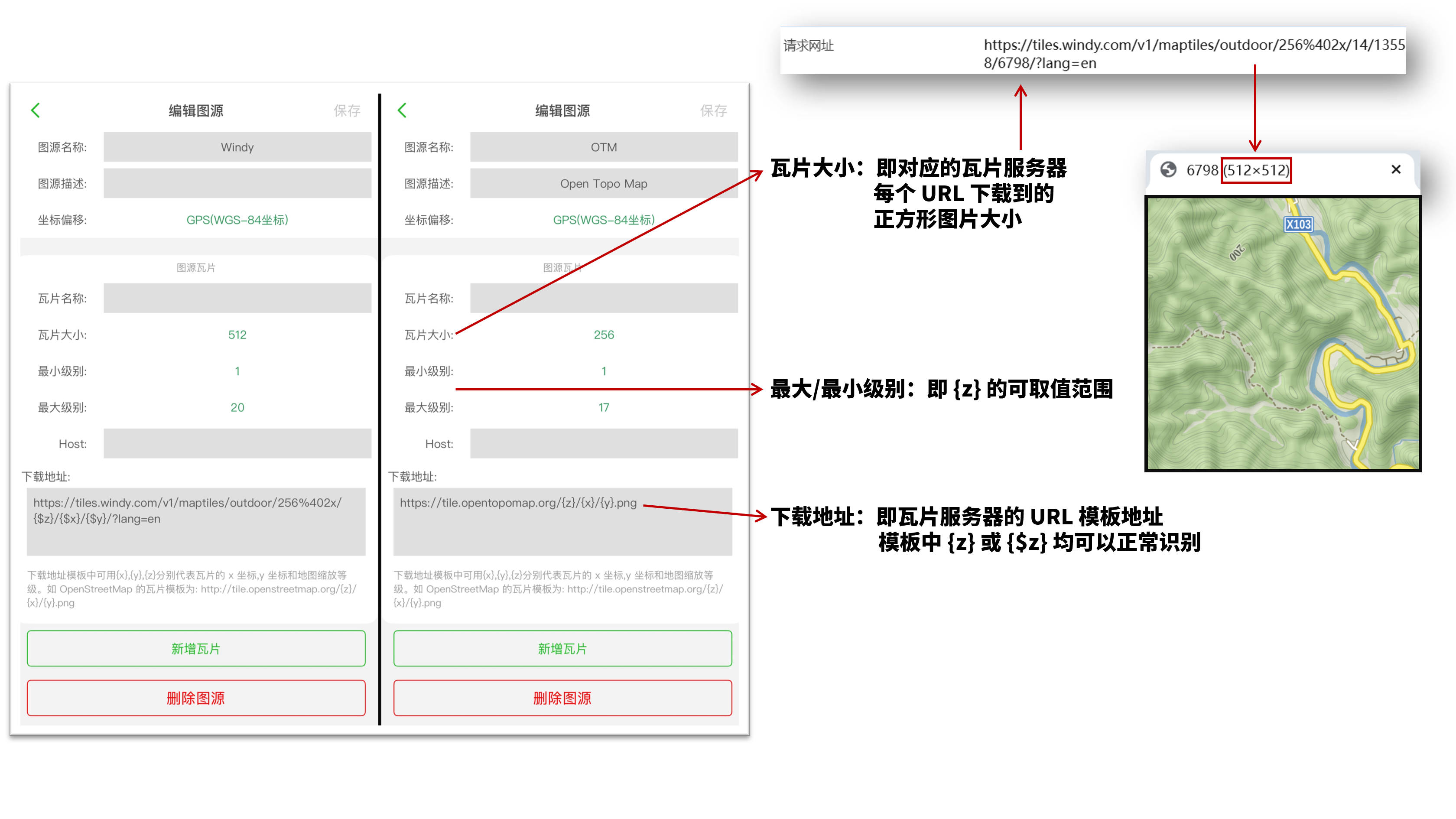
以两步路的图源编辑为例进行说明(详细说明见图中):
版权声明:本文遵循 CC BY-SA 4.0 版权协议,转载请附上原文出处链接和本声明。
Copyright statement: This article follows the CC BY-SA 4.0 copyright agreement. For reprinting, please attach the original source link and this statement.